Supervise
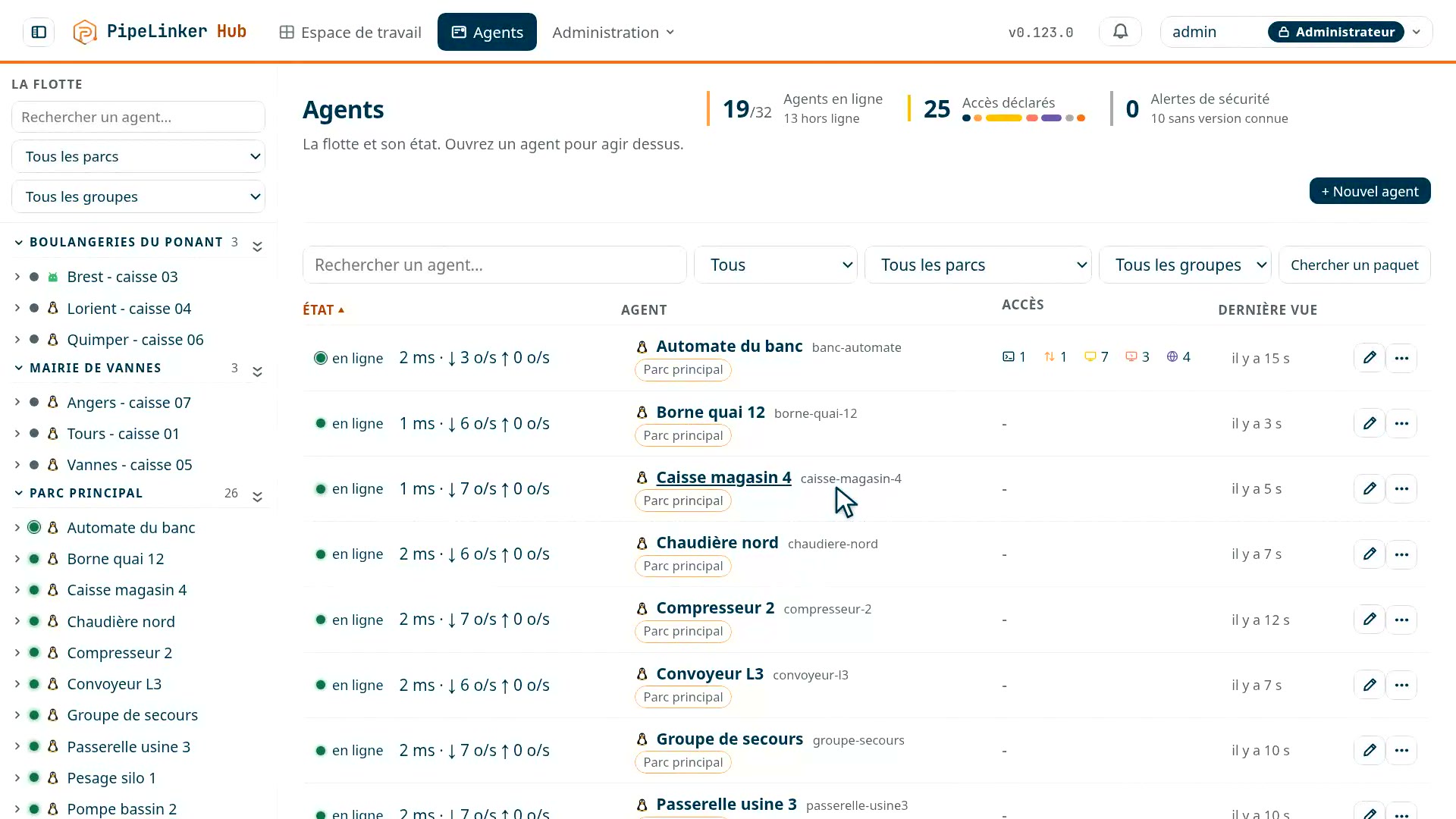
The agents report telemetry and metrics from the equipment. You see what answers and what no longer does, and you prepare the work before opening a session.
IT, OT and IoT gateway · Zero Trust remote access (ZTNA) · self-hosted
Your equipment connects outbound - 4G, 5G, NAT, closed firewall - to the hub you host. From there nobody reaches the network: each person opens only the machines and services they have been allowed, one by one - terminal, files, screen, PLC. Every session is logged, and recorded if you want it.
From €2,900 excl. VAT / year, the whole hub included · no inbound port · none of your fleet data on our side
 Prise 1
 Prise 3
What you get out of it
The agents report telemetry and metrics from the equipment. You see what answers and what no longer does, and you prepare the work before opening a session.
Rights are granted by role, by fleet and by target. A contractor gets what the job needs, and loses it in one gesture once the job is done.
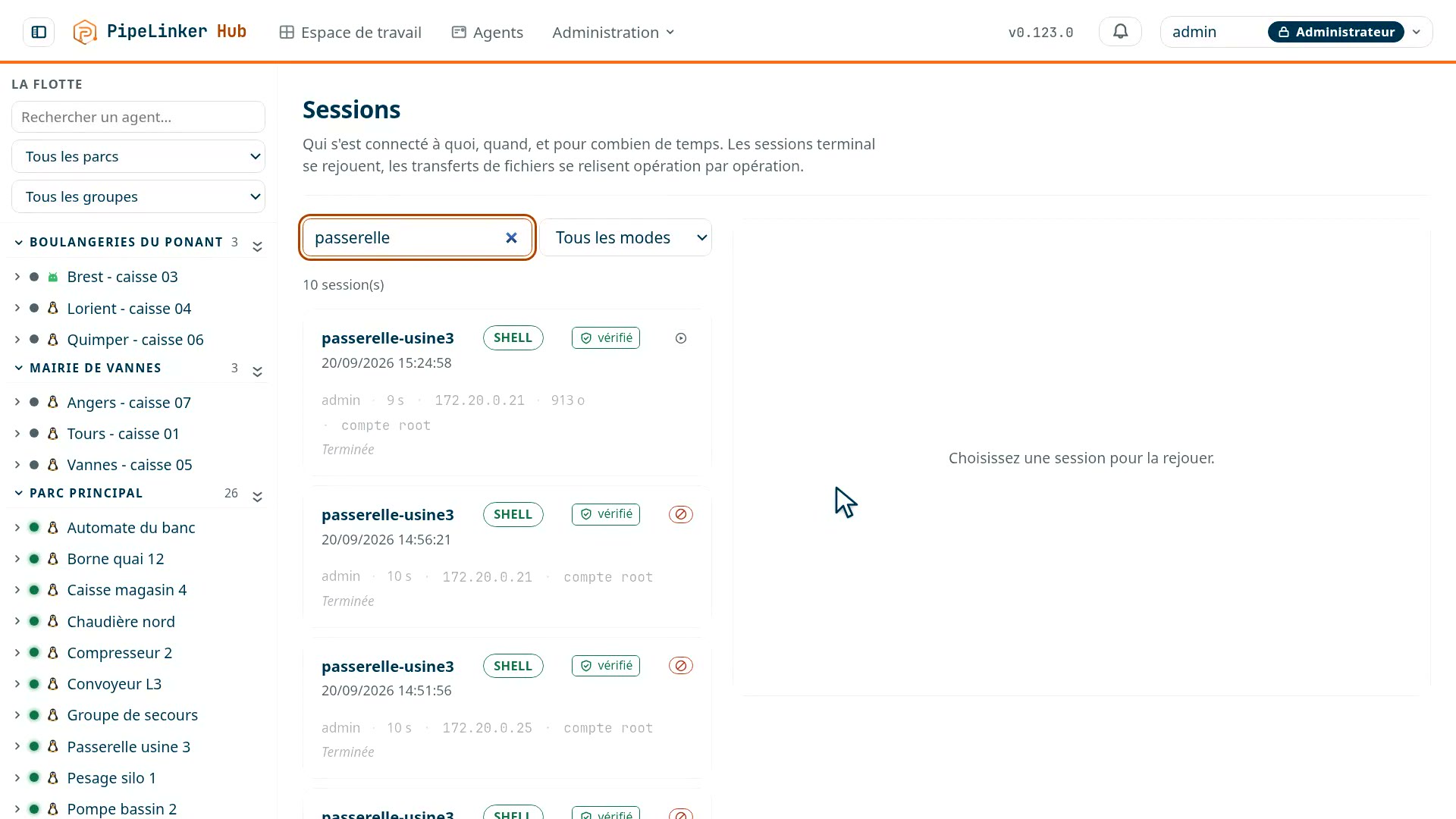
The log keeps who came in, on which machine and for how long. Terminal and screen sessions replay. You do not tell what happened: you show it.
Industrial remote access without open ports Self-hosted OT bastion and ZTNA Remote access to PLCs and HMIs
What the hub is
PipeLinker Hub brings together a gateway, which gathers the agents' outbound connections, and a bastion, which decides on remote access. Not two pieces of software: one application and a PostgreSQL database, hosted on your premises.
1 · The gateway
The agent on each machine opens an outbound connection to the hub and keeps it. Nothing to open on site, nothing to ask the carrier for, and a whole fleet that reconnects on its own after an outage.
2 · The bastion
From the console you jump through the agent to the machine and to what sits behind it: PLC, HMI, camera, Windows workstation. Every access is granted by role, limited to one destination, and leaves a trace you can show.
The range
The base is the hub on your premises, one agent per machine, and the portal on our side, which the hub does without if you want. The two applications come on top, for people: they make some tasks faster, and none possible that the console would not allow. The range in detail.
On your premises · on a server
The gateway and the bastion: one binary with its web console, backed by PostgreSQL. It is what you buy and what you host.
On your premises · per machine
On the gateway, the kiosk, the controller. It calls the hub outbound, reports its state, receives signed updates, and opens what lives behind it.
On your premises · on Android
The same agent for kiosks, rugged terminals and production tablets: telemetry, inventory, commands, a terminal and files within the limits of the system.
On our side · optional
Your licence and the signed binaries. The hub only connects to it if you enable it - a setting, off by default - and on an isolated network the files are dropped by hand.
On your premises · on the workstation
Your usual tools - PLC client, database, remote desktop - reach the equipment by name, through the hub. The key lives in the TPM.
On your premises · in the pocket
The fleet, the map and the alerts in your pocket. And on a machine: terminal, files, screen, remote desktop, internal web pages. The hub's password never goes in.
How it works
One hub to host, and it is on your premises. No VPN per site, no firewall rule to negotiate.
 Prise 0
A Debian package, seven questions, a PostgreSQL database. One public address and two names. On your server, in your network.
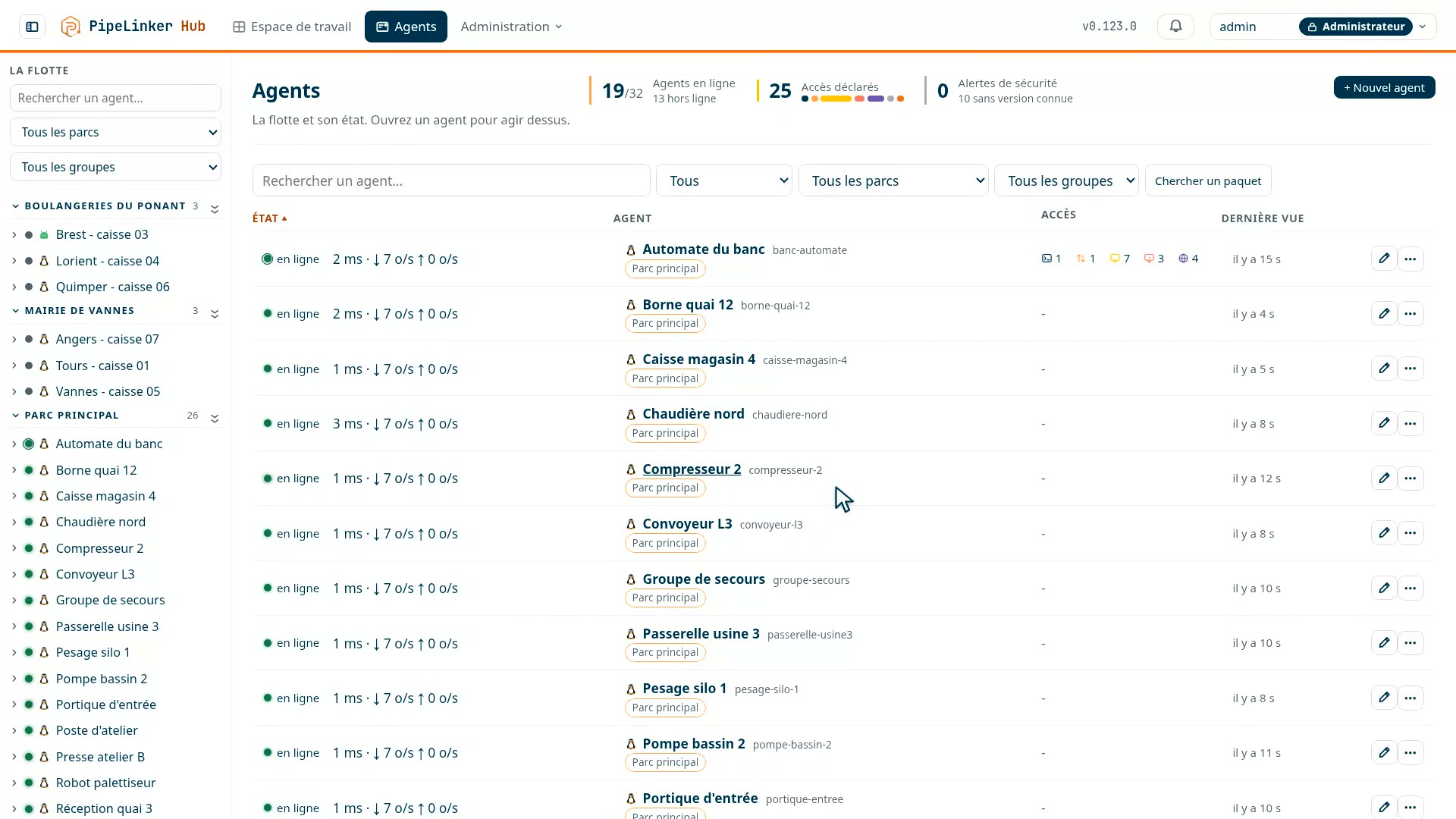 Prise 12
Linux, Windows or Android. It calls the hub outbound, once, and keeps the channel open. No port to open on site, nothing to ask the carrier for.
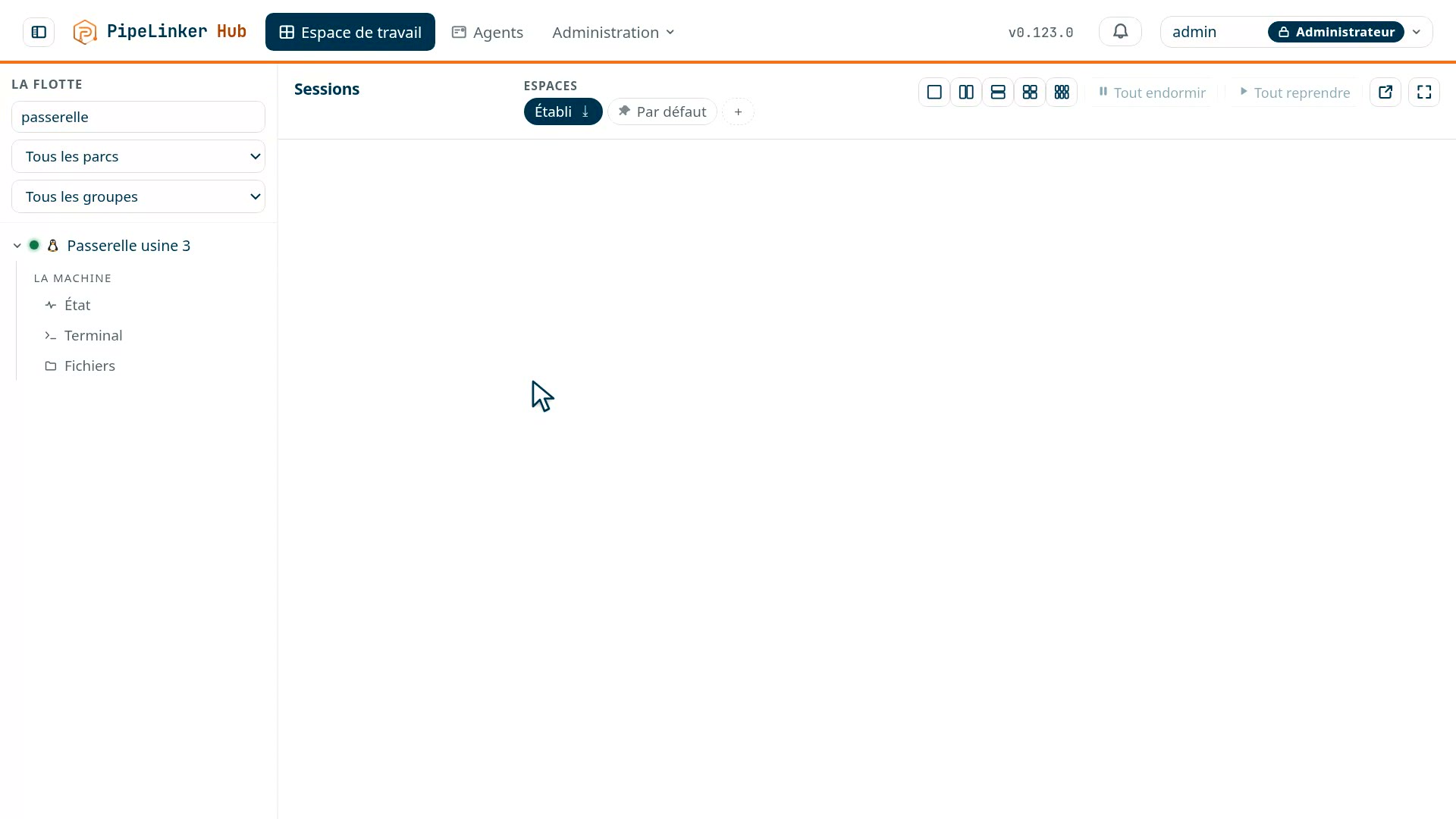 Prise 2
Terminal, files, screen, remote desktop, web interfaces of the PLCs behind the agent. Every session is traced, recorded if you want it, and revocable in one gesture.
Who it is for
Three ways of running a fleet, and three reasons to want a bastion. The hub was built for all six, and the "Who it is for" page says what it does in each.
Plants, installations, depots. One fleet per site, partitioned, and one screen for all of them. The technician acts from headquarters instead of taking the road.
What the hub does for youIntegrator, maintainer, industrial managed-service provider. One fleet per customer on a single instance, rights per person, and a log you can show.
What the hub does for youYour equipment is at your customers'. The agent on the machine reports its state, receives its signed updates, and opens you an access without touching the customer's network.
What the hub does for youBehind a 4G or 5G router, a NAT, a firewall that lets nothing in. The agent calls the hub outbound, and you get in through that channel: without knowing the site's public address, without opening a port there, without a VPN to deploy.
What the hub does for youRights are granted by role and by fleet, sessions are logged and recorded, and the machines' credentials can stay sealed in the hub: the person intervening opens the session without ever receiving the target's password.
What the hub does for youAn account that stops on the date you set, an access limited to one destination, revocable in one gesture, with a second factor required by role. No account on the machine, no VPN to open for them, and a trace of what they did.
What the hub does for youSelf-hosted
Most remote-access solutions run through a platform the vendor holds. Here the hub is installed on your premises: you choose where it lives, your fleet data and your access logs stay there, and an outage on our side does not close your sites. That is what the autonomy of an industrial site, a network that is not always online, and a governance that must say where its records are all ask for.
Pricing
Three offers and a custom one. The whole hub in every offer; what varies is the number of machines, accounts and fleets - and the two applications, PipeLinker Desktop on the workstation and PipeLinker Mobile on the phone. Yearly prices, in euros, with no cost per session or per connection.
From €2,900 excl. VAT / year, the whole hub included
The licence is yearly, and when it expires you never go blind on your fleet: monitoring goes on, only the actions stop.
See the three offersBefore you write to us
No. The agent opens an outbound connection to your hub and keeps it. Nothing listens on site.
No. The hub is on your premises; we see neither your machines, nor your sessions, nor your logs. The portal only serves the licence and the binaries, and only if you enable it.
The console opens, telemetry comes in, alerts arrive. Only the actions stop, and you are warned thirty days ahead.
An agent on a machine of the same network acts as their gateway: web interface, VNC, RDP, SSH, raw port. Nothing to install on the PLC.
Tell us what equipment you manage, how much of it, and behind which networks. We answer with concrete sizing (CPU, memory, storage), a demonstration on a case close to yours, and what would need adapting for your hardware.
Or write to us directly:
contact@pipelinker.fr
A question first?
The questions we are asked