One hub to host, one agent per machine, controlled access to your IT, OT and IoT equipment
Supervise the fleet, work on it remotely and keep the record of who came in, without
opening an inbound port. Six pieces of software for that, and only one to host: the hub is
on your premises; the agent is on each machine, Linux, Windows or Android; Desktop and
Mobile are for the people who run the fleet; the portal is on our side, and the hub does
without it if you want.
PipeLinker Hub brings together a gateway, which gathers the agents' outbound
connections, and a bastion, which decides on remote access. Not two pieces of software:
one application and a PostgreSQL database, hosted on your premises.
1 · The gateway
The whole fleet comes to you
The agent on each machine opens an outbound connection to the hub and keeps it.
Nothing to open on site, nothing to ask the carrier for, and a whole fleet that
reconnects on its own after an outage.
Telemetry, inventory, software bill of materials
Signed updates, rolled out progressively
Controlled commands, logged
One fleet per site or per customer, partitioned
4G · 5G
NAT
closed firewall
site link
Linux · Windows · Android
embedded systems included
→
2 · The bastion
Remote access, controlled and traceable
From the console you jump through the agent to the machine and to what sits behind
it: PLC, HMI, camera, Windows workstation. Every access is granted by role, limited
to one destination, and leaves a trace you can show.
Terminal, files, SSH, SFTP, VNC, RDP, web
Sessions recorded and replayable
Audit log: who, what, when, for how long
Immediate revocation, automatic expiry
Target credentials sealed in the hub, never handed to the person intervening
Refusals counted by origin, addresses blocked, alerts
Supervise the state and the metrics of your IT, OT and IoT equipment, across every site.
Give access to a team, to an integrator or to a contractor, for one job or for good.
Reach PLCs, HMIs, workstations and web interfaces without opening an inbound port.
Log every intervention, and record the ones that deserve it.
Host the core of all this on your premises, on a machine you choose.
The base
Four pieces of software, one to host
What is installed, where, and on whose premises.
On your premises · on a server
PipeLinker Hub
The gateway and the bastion: one binary carrying the server and its web console, backed by PostgreSQL, on the machine of your choice. It is the hub that holds the rights, the logs, the recorded sessions and, when you want it, the credentials of the targets, sealed. It is what you buy and what you host. A single instance keeps your fleets apart from one another, without installing one per site or per customer.
It installs from the Debian package, which sets everything up in seven questions, or from the binary and a service to write. It is sized for forty thousand devices on one instance.
On the gateway, the kiosk, the controller. It calls the hub outbound, once, and keeps the channel open: it reports state and inventory, receives signed updates, runs the declared commands, and opens what lives behind it - PLC, HMI, camera.
One native binary, the same on both systems, on x64 and on ARM64. It refuses what it must not do, even when the order comes from the server.
The same agent for kiosks, rugged terminals and production tablets: telemetry, application inventory, commands, signed updates, a terminal and files within the limits Android leaves to a non-rooted application, and tunnels to the local network.
It does not serve its own screen: seeing and taking over a phone's screen needs a permission the agent does not ask for. The screen of a piece of equipment behind it, however, is reached through the tunnel just as from any other agent.
Your licence and the signed binaries - the agents, Desktop, Mobile, and the hub's versions. The hub only connects to it if you enable it: a setting, off by default, at a pace you choose.
On a network cut off from the internet, that link does not exist and the files are dropped by hand. None of the fleet's data goes through it.
They make some tasks faster, and none possible that the console would not allow. That
is what makes them options, carried by the offers at the top.
On your premises · on the workstation
PipeLinker Desktop
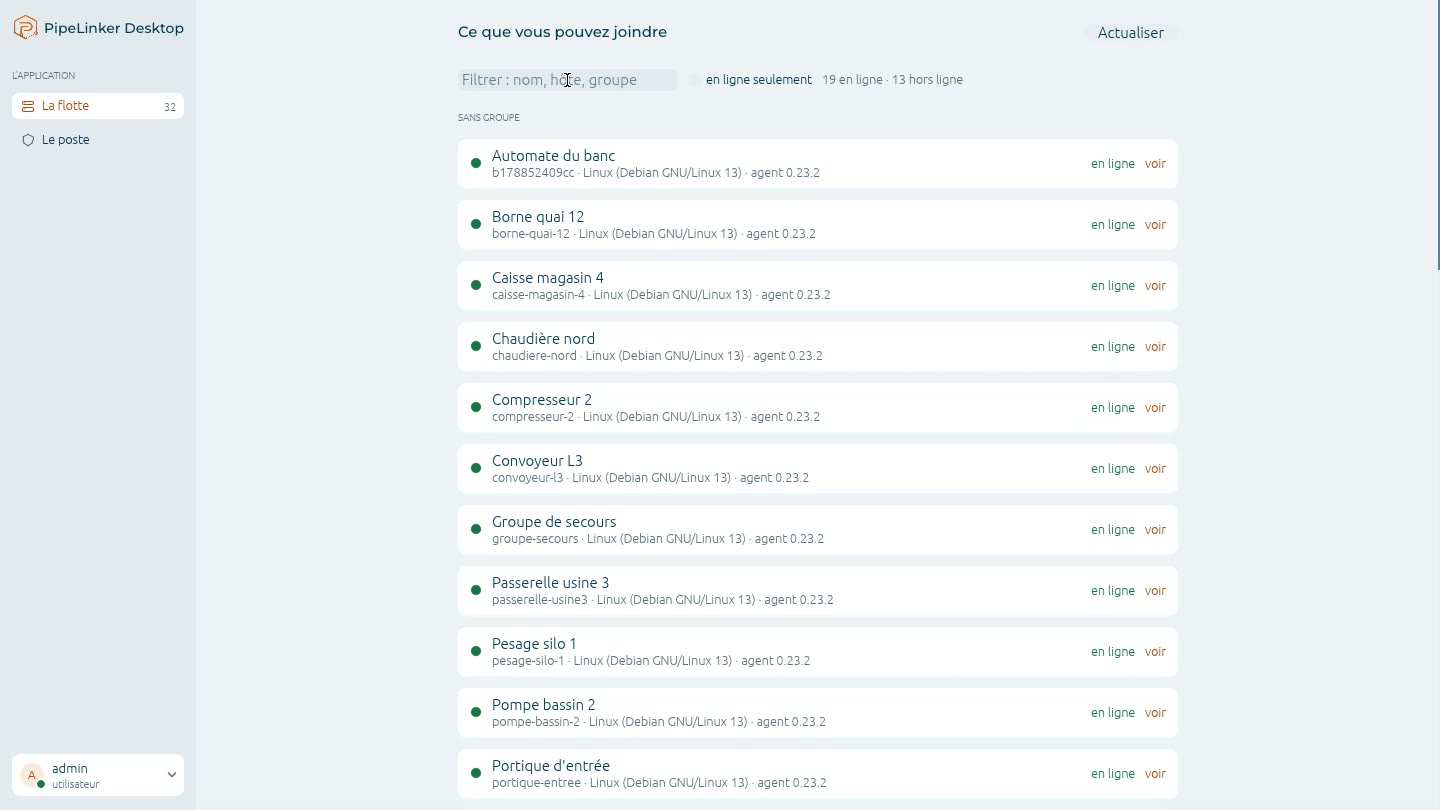
Prise 14
What a machine lets you reach, from Desktopits terminal, its files, a port for your own tools, the screen of the equipment behind it
Looping video, 12 s - to capture
Your usual tools - PLC client, database client, vendor utility - reach the equipment by name, through the hub, with no address to rewrite: a local proxy for the browser, a port forward for native tools. A remote desktop opens in the workstation's own client, in one click. When a target's credential is sealed in the hub, the person intervening opens the session without ever receiving it.
It enrols with the hub through a one-time code obtained in the console, and its key lives in the TPM - the key store on Windows, the chip on Linux - or, failing that, in a sealed file.
For the browser, two ways: an isolated profile, started for the access and erased when it closes, which mixes nothing with your tabs or your sessions; or your usual browser, with the PipeLinker Desktop extension (Chrome, Edge, Firefox), which only sends it the addresses in scope - its privacy policy.
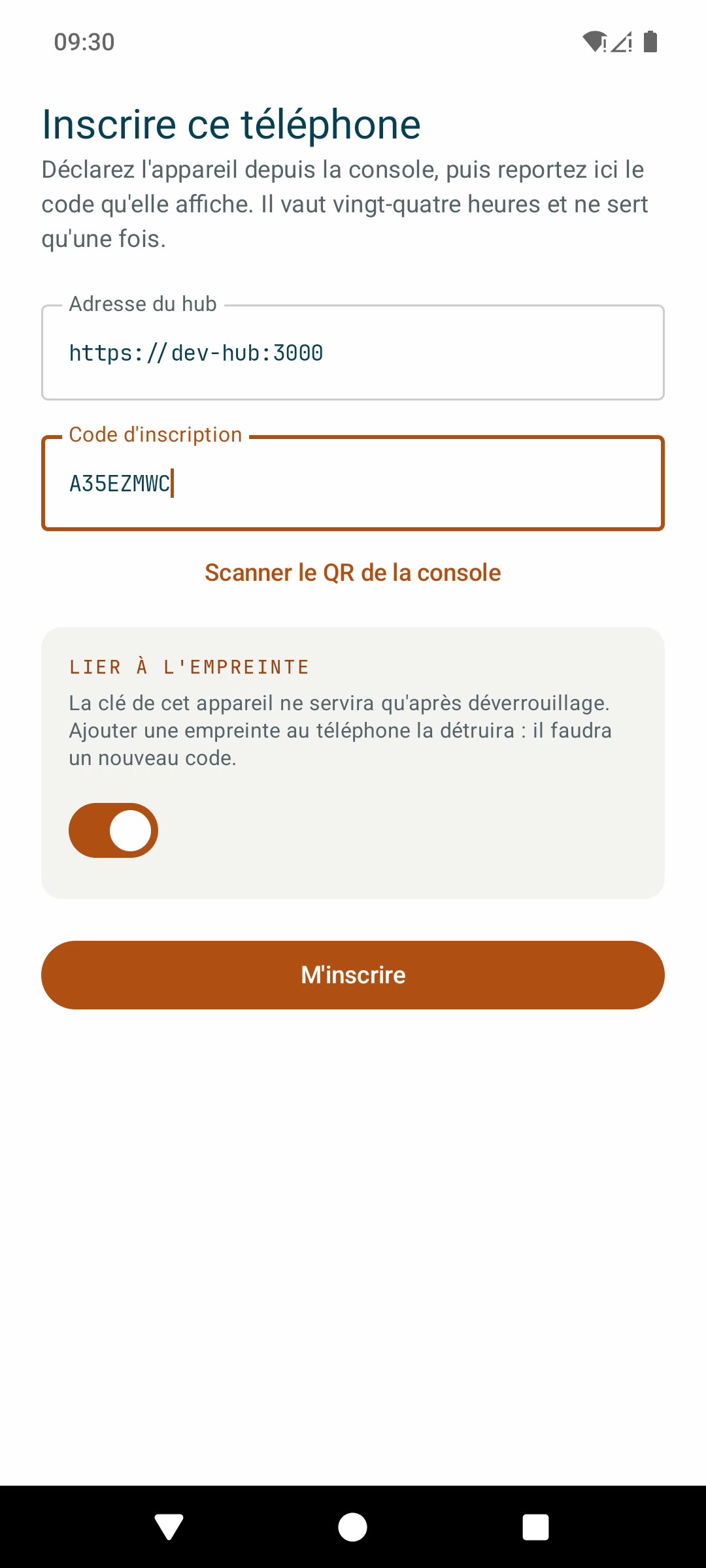
The phone enrols with a code from the consolethe hub's address, the code, and the device that then carries its identity
Looping video, 12 s - to capture
The fleet in your pocket: the state of the machines and each one's record, the map with the trips, which replay, and the hub's alerts, received as notifications.
And on a machine, what makes sense from a phone: a terminal, the files, a VNC screen - with a touchpad for targets too small for a finger -, an RDP desktop opened in the phone's own client, and the internal web pages behind an agent, at their original address.
Enrolled through a one-time code obtained in the console; the hub's password never goes in, and the device's key is tied to its unlocking. The phone is a device belonging to its bearer, not a machine of the fleet: it does not count towards the licence's devices, and it updates from the hub, like the agents. Android only, for now.