
OT bastion
Self-hosted OT bastion: Zero Trust access to your industrial equipment
An OT bastion is the control point for remote access to industrial equipment. With PipeLinker, the person intervening reaches only the targets opened to them, from a hub you host. The rights, the logs, the recordable sessions and, when you want it, the targets' credentials stay in your hands.
 Prise 3
From the equipment to the person working: the path
The path, in this order. The equipment - PLC, HMI, controller - is reached by the agent placed on a machine of its own network. The agent opens an outbound flow to the hub you host: nothing listens on the site, and no inbound firewall rule is requested. The hub carries the telemetry, the rights, the log and the recordable sessions. The authorised person enters through the hub, and reaches only the targets opened to them - never the site's network.
What an OT bastion is
A bastion is the compulsory point of passage to machines you do not reach directly: you authenticate there, it decides what you are allowed to reach, and it keeps the record of what was done. An OT bastion is the same object placed in front of an industrial fleet, where the targets are PLCs, HMIs, controllers and operator workstations, and where you can neither install a client on the target nor stop production for an upgrade.
Bastion, VPN and ZTNA: what separates them
A VPN first establishes a link to a network. Once that link is up, what the person can reach depends on whatever segmentation sits behind it. Fine-grained rights on targets, approval of an access and proof of what was done then call for additional controls, which the VPN does not carry by itself. PipeLinker authorises one target directly, for one named person, and keeps the record of that access in the hub.
Zero Trust does not give the network. It gives one target and one only: this service, on this machine, for this person, now. That is what the acronym ZTNA covers, and it is what the hub does: nothing is reachable by default, every access is a named authorisation, and it is withdrawn in one gesture. The bastion is the piece that carries all of it: the word describes the place, Zero Trust describes the rule.
What our ZTNA covers, and where it stops
Why there is no port to open on the site
Controlling rights by role, by fleet and by device
Rights go to named people, never to a key the team shares: view, open a session, send a command, deploy an update, administer. A fleet is a partition: a site, a customer, a plant, with its own managers and its own agents, blind to the others. A second factor can be required by role.
Bringing in a contractor without handing over the credentials
When you set it up that way, the target's credential stays sealed in the hub: encrypted with a key that lives in the server's configuration and never in the database, and bound to its row, so a secret copied from one fleet onto another does not open. The person intervening receives the right to open the session; they do not receive the machine's password, so they cannot keep it, pass it on, or lose it.
What this does not protect, and it is better said: root on the hub, or code running under its identity, read the configuration just as it does.
Logging, recording, revoking
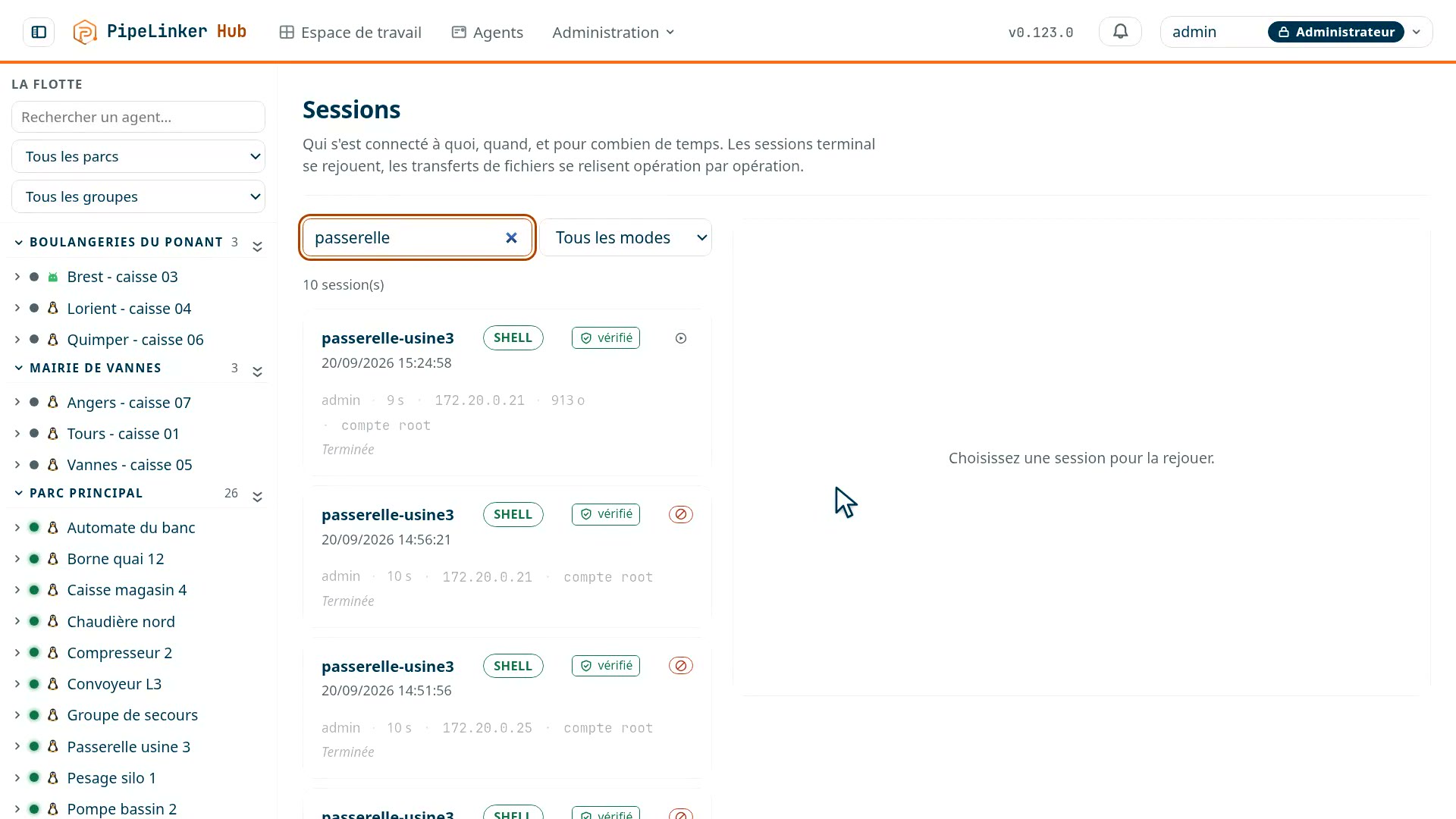
The log keeps who accessed what, when, on which machine and for how long. Terminal and screen sessions are recorded and replayed; a remote desktop decoded by the hub can be recorded, or given read-only under supervision. Revocation is individual and immediate: it applies at the TLS handshake, before a byte is read.
Why self-host the bastion
A bastion sees the accesses to your production machines go by and keeps the evidence of what was done on them. At a vendor, both of those sit on the vendor's side. Here the hub is one binary and a PostgreSQL database on the machine of your choice: the logs stay there, the retention is yours, and a network cut off from the internet works.
The questions we get
Does anything have to be installed on the PLC?
No. The agent sits on a machine of its network and acts as its gateway; you declare the service - its address, its port, its protocol - and it becomes reachable through the agent.
Does it replace our VPN?
For access to machines, yes, and that is the point: a VPN gives the network, the hub gives a target. For your other uses of the VPN it is a case-by-case question, and we look at it with you rather than answer it on a page.
What can be seen of a session afterwards?
The identity, the target, the time, the duration, and for a terminal or a screen, the whole run, replayable with a time cursor. The rest - files, commands, web access - goes into the audit log.
Page last updated on 23 September 2026. Technical page, maintained by the PipeLinker team at LOOTUS SECURITY, publisher of the product. The date comes from the repository, not from a hand edit.